


How to Add a Pricing Table to Your Shopify Website
Several products on the Shopify website look similar despite having different prices. That’s because Shopify usually organizes its pricing according to the number of features included. By default, customers have to go to the individual product page to check which features are included. But as a store owner, you can make your customers’ lives easier if you add a pricing table to your Shopify website.
Adding a pricing table to your Shopify site helps give your customers an overview and comparison of all your products’ features.
This article gives you all the information you need about how to add a pricing table to your Shopify website and which method the experts at Create Circus recommend.
What are Pricing Tables, and why are they important?
Every eCommerce store gives you the option to choose a pricing plan based on the features you add to your products. You can set the pricing plans for your products to make the buying process easier for potential customers, and can choose your preferred plan from the main page of the Shopify store.
You can find three pricing options on Shopify’s main page: the Basic, the Shopify plan, and the Advanced plan.
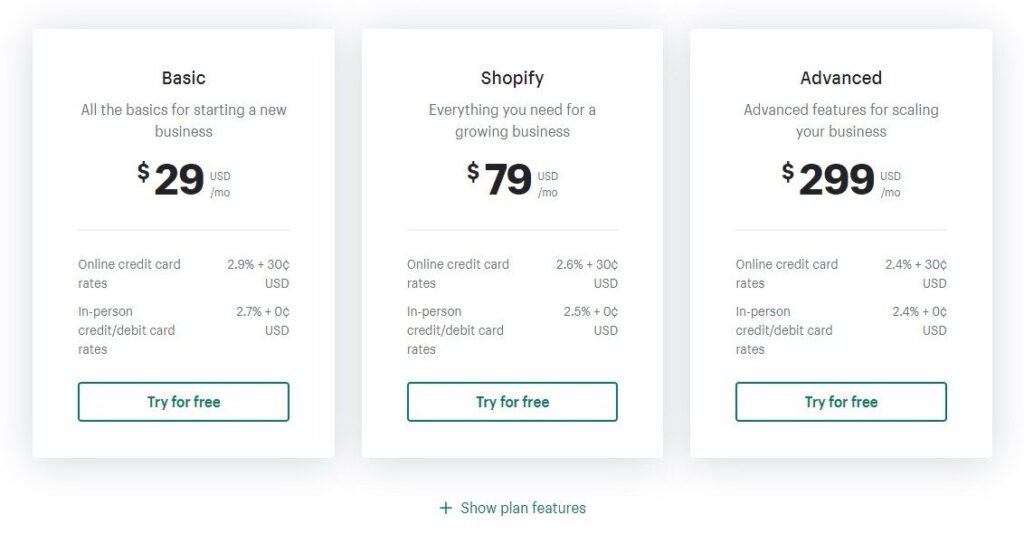
You can choose any plan based on the cost and features of your products. For example, the Basic pricing plan is perfect for running a small business online. It is important to know that pricing tables are separate from Shopify Compare at price.
If you’re offering different products on your Shopify store, you can select the traditional product pages to list all the features of your products. But if you’re offering similar products on your Shopify store, it’s important to add a pricing table to your Shopify website.
It offers significant benefits to your potential customers, such as:
- Highlighting the differences between your products
- Helping customers navigate your product offerings more easily
- Giving customers a quick, easy overview and comparison of all the features included
How to add a Pricing Table to Shopify – a Detailed Guide
You can add a pricing table to your Shopify store using different widgets or apps. You can find several apps or widgets on the Shopify store and need to link them to create and add a unique pricing table. Here we will cover the simplest pricing table and how to add it to your Shopify website.
We recommend the Pricing Table by Common Ninja
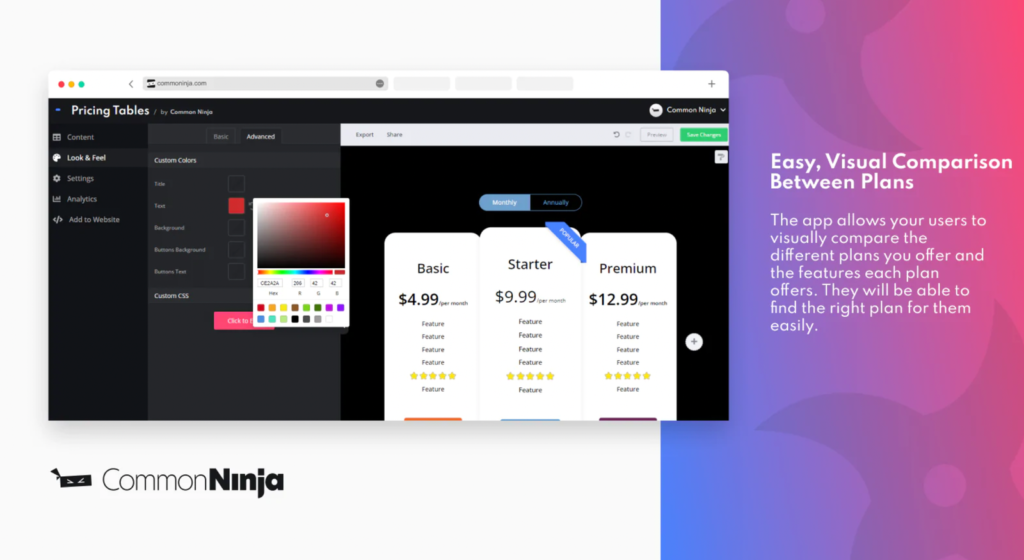
Common Ninja’s Pricing Tables is the simplest and most interactive solution that doesn’t require any coding. Follow these steps to add this versatile pricing table to the Shopify website:
- Search for Common Ninja Pricing Tables.
- Click the “Add App” button from the menu bar to add this widget to the Shopify website.
- Select your Shopify account.
- After choosing your account, you will see an “Install App” option. Click on that to start the installation.
- After installing the app, you can reach a customized window where you can edit pricing tables according to your preferences and products’ prices. Here you can manage the styling section of your table. For example, you can change the size of the table, colour of the background, modify the font and font styling, and manage the borders and line spacing.
- After editing your preferred table, click on “Save Changes“.
- Go to your Shopify website, choose an online store, and click “Customization“.
- Choose the “Add Section” option from the left panel of the Shopify store.
- From “Apps“, choose the Pricing Table and add it to your desired place.
Supercharge your Shopify Site with Create Circus
Adding a Shopify pricing table gives potential customers a useful overview of your product offers. Setting one up isn’t that tricky, but you need to select an interactive pricing table and customize it based on your preferences.
To guarantee you’re getting the most value out of your Shopify website, trust the certified Shopify experts & Google Partners at Create Circus.
By taking care of your site’s UX design, performance, and SEO, we’ll widen your sales funnel to work at full capacity, freeing you up to focus on your product and your profit.
Ready to collaborate? Schedule a call with us today.