

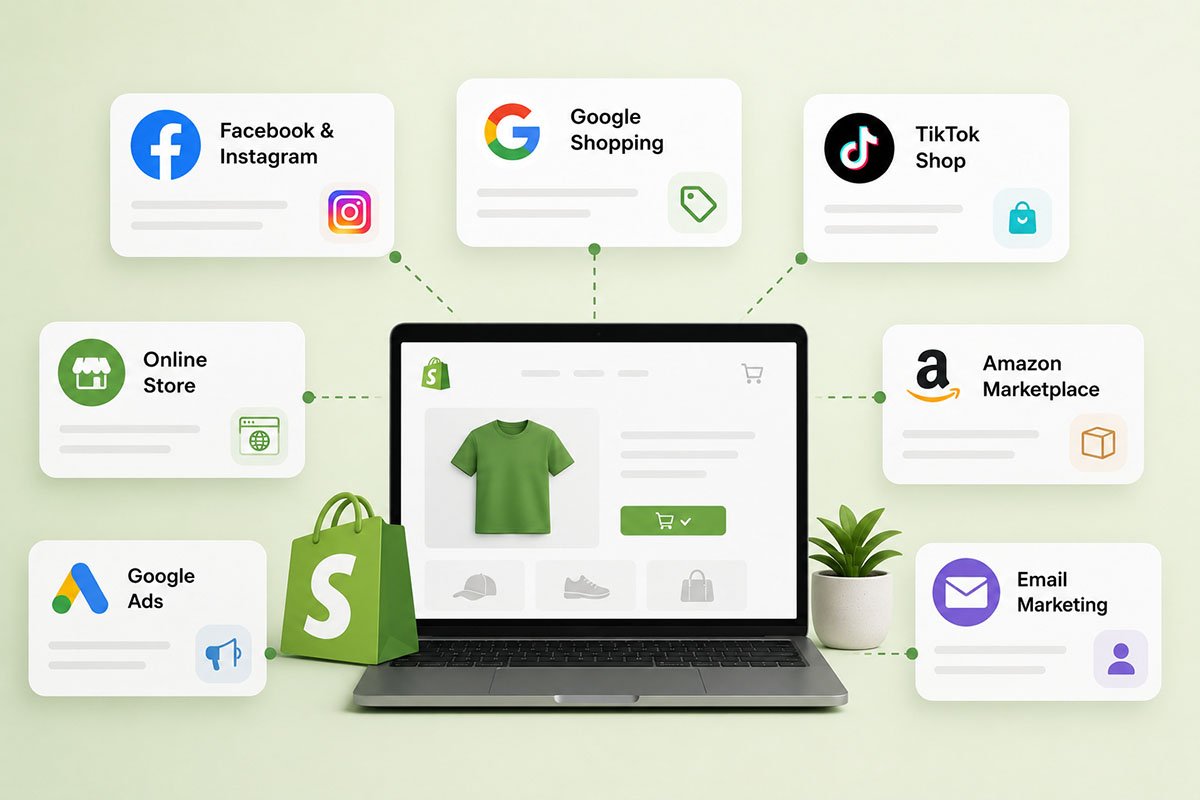
Best Sales Channels for Shopify Stores
We all know that Shopify is a leading e-commerce platform that allows individuals and businesses to create their own online stores without the need for extensive coding or web design knowledge. It provides a wide range of customizable templates, payment processing features, and other essential tools to help merchants set up and manage their e-commerce businesses. Shopify simplifies the process of selling products online, making it accessible for both new entrepreneurs and established businesses.
What Do Sales Channels Mean?
A sales channel refers to any method or platform through which a product or service is sold to customers. It represents the different avenues businesses can use to reach customers and complete transactions.
The beauty of Shopify’s sales channel system is its centralized management approach. Even if you are selling on multiple channels, such as your online store, a physical storefront, and social media platforms, all your sales, inventory, and customer data can be managed within the Shopify dashboard. This unified system simplifies the complexities of multi-channel selling.
Here, we have listed some of the best sales channels for Shopify stores.
Best Sales Channels for Shopify Stores
Online Store
This is Shopify’s primary sales channel, allowing businesses to set up a fully customizable and branded e-commerce website. It offers a range of design templates, tools, and settings to shape the shopping experience.
Shop
Shop is a personal shopping assistant app developed by Shopify. It allows customers to track their orders, browse recommended products, and shop from local favorites, enhancing the shopping experience for loyal customers.
Shopify Inbox
Shopify Inbox is a chat-based platform integrated into Shopify stores, allowing business owners to communicate directly with customers. It supports real-time conversations, helps answer questions, and improves customer service.
Theme Access
While not a sales channel in the traditional sense, theme access refers to the variety of design templates available in Shopify. Having a captivating theme can significantly support sales by improving user experience, visual appeal, and branding.
Point of Sale (POS)
Shopify’s POS system enables businesses to sell not only online but also in physical locations using the same integrated platform. It is ideal for businesses that operate both online and offline, providing inventory syncing, order management, and consolidated reporting.
You can use Shopify to offer your products across various online platforms. These platforms, known as sales channels, are the different places where your products are marketed and sold. Connecting each of these channels to Shopify allows you to monitor your products, orders, and customers from one central location.
Once you add a sales channel, it will appear under the “Sales Channels” section in Shopify.
How to Add an Online Sales Channel to Shopify
1. Log in to Shopify: Start by logging into your Shopify admin dashboard.
2. Open Sales Channels: On the left sidebar of your dashboard, look for the “Sales Channels” section.
3. Add a new channel: Click the “+” icon next to “Sales Channels” to view the list of available channels you can add to your store.
4. Choose your channel: Find and select the online sales channel you want to add, then click the “Add” button next to it.
5. Manage the channel settings: Once added, the new sales channel will appear in the “Sales Channels” section on the left sidebar of your admin dashboard. Click on it to manage or modify its settings.
6. Check your products: Make sure all products you want to sell on this channel are listed and displayed correctly.
How to Remove an Online Sales Channel from Shopify
1. Log in to Shopify: First, log in to your Shopify admin dashboard.
2. Go to Sales Channels: On the left sidebar of your dashboard, find the list of your current sales channels.
3. Select the channel: Locate the online sales channel you want to remove. Hover over the channel name to reveal additional options.
4. Open the options menu: Depending on your Shopify version, you may see three dots or a settings icon next to the sales channel. Click that icon.
5. Remove the channel: From the dropdown or pop-out menu, select “Remove” or “Delete.”
6. Confirm the action: A confirmation window will appear asking whether you are sure about removing the sales channel. Click “Confirm” or “Yes” to proceed.
7. Check your sales channels: Once removed, the channel should no longer appear in your “Sales Channels” list.
8. You are done: The sales channel has now been removed from your Shopify admin.
Note: When you remove a sales channel, it does not always delete the channel’s data immediately. If you decide to add the channel back later, some previous settings or data might still be available. However, it is always best to keep backups or records of any important information before removing a channel.
Some Recommended Sales Channel Apps
Overall Rating: 4.7 • Pricing: Free
You can install the Pinterest for Shopify app to connect your Pinterest account, publish Product Pins, automatically update your catalog, and monitor performance with the Pinterest Tag. This helps you engage organically with Pinterest users who can find, save, and purchase your products. You can also boost your reach further with campaigns directly from your Shopify dashboard to increase awareness, interest, and conversions.
TikTok
Overall Rating: 4.8 • Pricing: Free
Discover and engage new customers with TikTok Ads and TikTok Shop. The Shopify TikTok app gives merchants access to a large audience of active consumers. You can use the app to create ad campaigns, synchronize your product catalog, and promote products through in-feed videos and LIVE sessions on TikTok Shop.
AI: Upsell—SMS—Email Marketing
Overall Rating: 4.9 • Pricing: 10-day free trial
This AI-powered Shopify tool helps brands increase repeat sales from ad traffic and loyal customers. It combines email and SMS marketing, one-click upsells, pop-ups, rewards, analytics, A/B testing, and more. It also connects with tools like Mailchimp, Klaviyo, and SMSBump. It can be useful for both Shopify Plus and Basic stores that want to automate personalized customer experiences.
Google & YouTube
Overall Rating: 3.9 • Pricing: Free
The Google & YouTube channel helps you connect with shoppers by syncing your products to Google Merchant Center and listing them across Google Search, YouTube, and other Google surfaces. You can also launch paid Performance Max campaigns. In the European Economic Area, the UK, or Switzerland, these campaigns can be paired with a Comparison Shopping Service, with ads displayed on general search results and other CSS platforms.
Facebook and Instagram
Overall Rating: 3.3 • Pricing: Free
Facebook and Instagram allow you to sell products across Meta platforms while managing your store centrally in Shopify. You can expand your reach, handle orders and returns, and promote products using marketing tools. Product syncing helps maintain unified inventory, while shoppable ads and posts make it easier to engage your audience.
Using different sales channels is crucial in today’s e-commerce world. Platforms like TikTok, Facebook, Instagram, and Google offer unique ways to reach customers. With Shopify, businesses can manage these channels from one place, making it easier to reach a wider audience. It is essential for businesses to adapt and use these tools to connect with customers effectively.